
You can not select more than 25 topics
Topics must start with a letter or number, can include dashes ('-') and can be up to 35 characters long.
 Jacopo De Simoi
1648051df5
Jacopo De Simoi
1648051df5
|
3 years ago | |
|---|---|---|
| README.md | 12 years ago | |
| margin-current-line.el | 3 years ago | |
README.md
fringe-current-line
Show current line on the fringe.
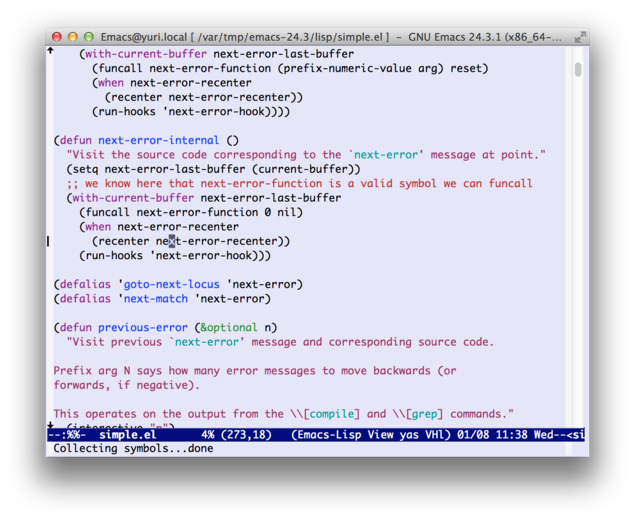
Description
fringe-current-line is a package to indicate current line on the fringe. You can use by the following steps.
-
Place this file on your load-path.
-
Add the following code into your init file:
(require 'fringe-current-line)
- Activate the mode.
-
To enable it only in certain buffer, run
M-x fringe-current-line-mode. Run again and you can disable it. -
To enable it globally, add the following into your init file:
(global-fringe-current-line-mode 1)
You can toggle it by running M-x global-fringe-current-line-mode.
Limitation
The indicator is not shown if the cursor is at the end of the buffer and the last line is empty.
License
Copyright (C) 2014 Kouhei Yanagita
This program is free software; you can redistribute it and/or modify it under the terms of the MIT License.