
 Jacopo De Simoi
a3f8ed3714
Jacopo De Simoi
a3f8ed3714
|
6 years ago | |
|---|---|---|
| examples | 8 years ago | |
| README.md | 8 years ago | |
| __init__.py | 6 years ago | |
| add_label.py | 6 years ago | |
| fonts.json | 8 years ago | |
| gotham.ttf | 9 years ago | |
| helpers.py | 6 years ago | |
| import_keyboard.py | 6 years ago | |
| noto.ttf | 9 years ago | |
| parse_json.py | 6 years ago | |
| template.blend | 8 years ago | |
README.md
Keyboard-Layout-Editor-for-Blender
Allows you to import keyboard layouts into blender and render them in 3d
Examples:
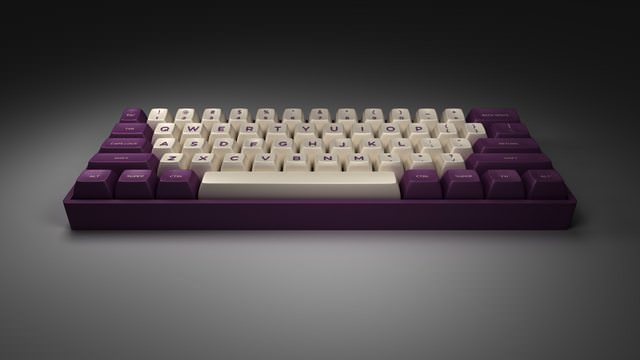
Courtesy of /u/jacopods

Courtesy of /u/zzubnik
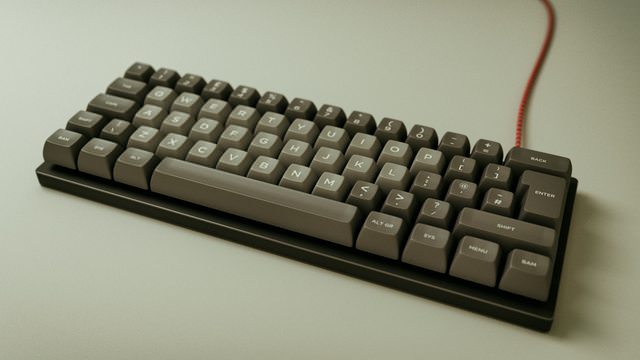
Courtesy of /u/zzubnik

Courtesy of @kirpal
Please open a pull request if you'd like to add more examples
How to install Addon:
- Download the zip (releases)
- Open Blender
- Go to File > User Preferences (
Ctrl + Alt + U) - Select the "Add-ons" tab.
- Click
Install from File...at the bottom of the panel - Select the zip archive that you downloaded and click
Install from File…at the top right - Check the checkbox next to
Import-Export: Import: KLE Raw JSON format (.json) - Click
Save User Settingsand close the preferences window - Now the addon is ready to use
How to use Addon:
- Open Blender
- Go to File > Import > KLE Raw Data (.json)
- Select the “keyboard-layout.json” that you downloaded from Keyboard Layout Editor and click
Import KLE Raw JSONat the top right - All Done!
How to add LEDs:
-
Add the following line to the object at the beginning (the one with "backcolor" in it):
"led" : [RED, GREEN, BLUE, BRIGHTNESS](you may need to add a comma to the line above)- RED, GREEN, and BLUE are out of 255, and BRIGHTNESS is from 0 to 1
-
To make the keycap legends backlit, make the legend color the same as whatever color you made the LEDs
Blender scene file
A basic scene for blender can be found in this gist. Open the scene in blender before importing. Please note that lighting, camera and render setup will most probably require some tweaking to fit with your specific layout.
Special Thanks To:
@zslane on Deskthority for the SA models
@Kaporkle on Geekhack for the DSA models
@wilderjds for implementing SA support
To-Do
- Add support for ISO enter
- Add key labels
- Add more key profiles (DSA, SA and DCS are done)
- Add support for fonts (Google Fonts only)
- Add support for glyphs
- Add legend alignment
- Add front legend support