You can not select more than 25 topics
Topics must start with a letter or number, can include dashes ('-') and can be up to 35 characters long.
 Andy Stewart
6ee75d0ef5
Andy Stewart
6ee75d0ef5
|
8 years ago | |
|---|---|---|
| app | 8 years ago | |
| core | 8 years ago | |
| screenshot | 8 years ago | |
| .gitignore | 8 years ago | |
| HACKING.md | 8 years ago | |
| LICENSE | 8 years ago | |
| README.md | 8 years ago | |
| TODOLIST.md | 8 years ago | |
| eaf.el | 8 years ago | |
| eaf.py | 8 years ago | |
| setup.py | 8 years ago | |
README.md
What is Emacs Application Framework?
Emacs Application Framework is a development framework that developers can develop any PyQt program and integrate into Emacs.
This framework mainly implements three functions:
- Integrate PyQt program window into Emacs Frame using Xlib Reparent technology
- Listening to EAF buffer's keyboard event flow and controlling the keyboard input of PyQt program via DBus IPC
- Created a window compositer to make the PyQt program window adapt Emacs's Window/Buffer design
Using this framework, you can use PyQt develop powerful graphics programs to extend Emacs
Some screenshots
Browser

Markdown Previewer
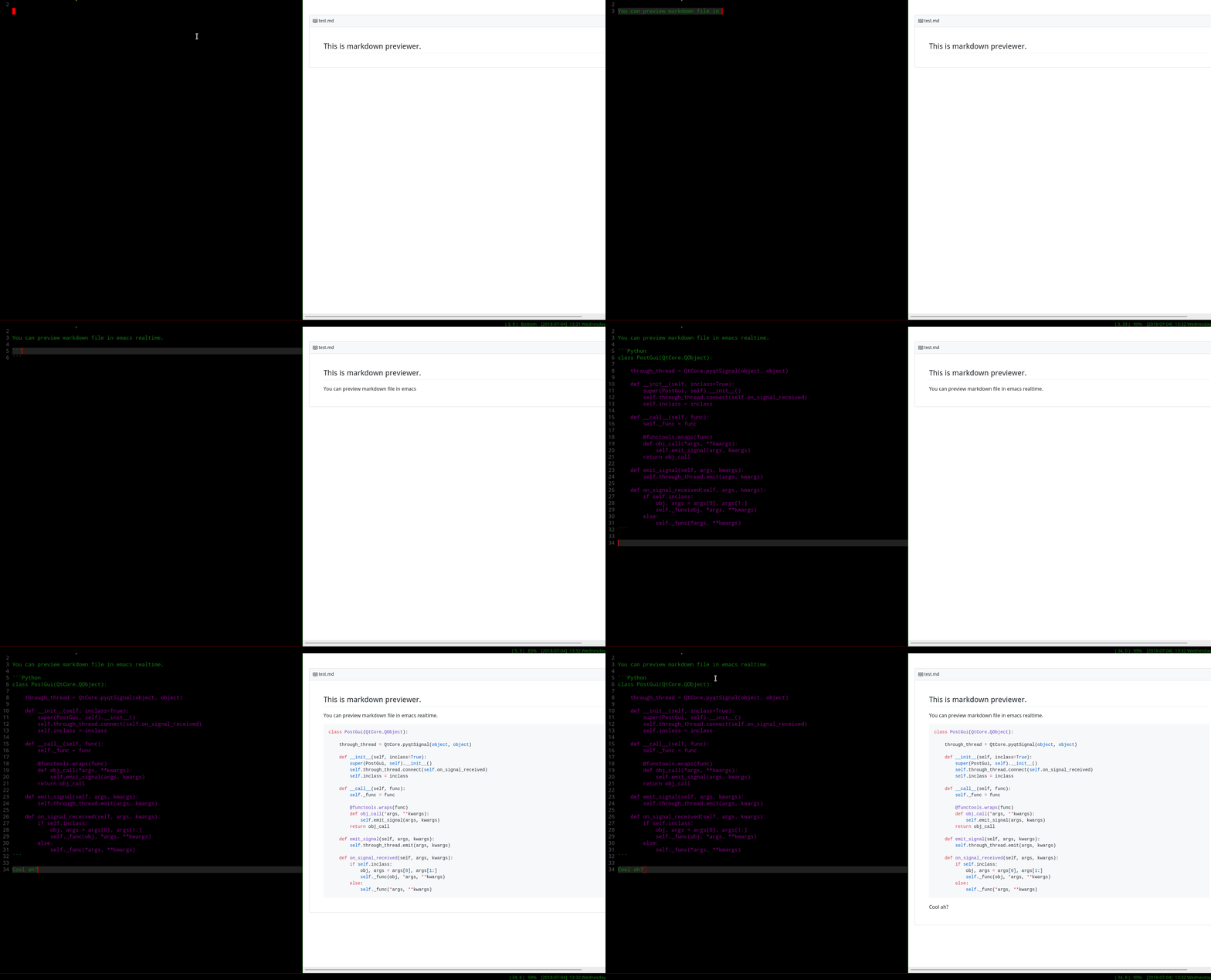
Image Viewer

Video Player
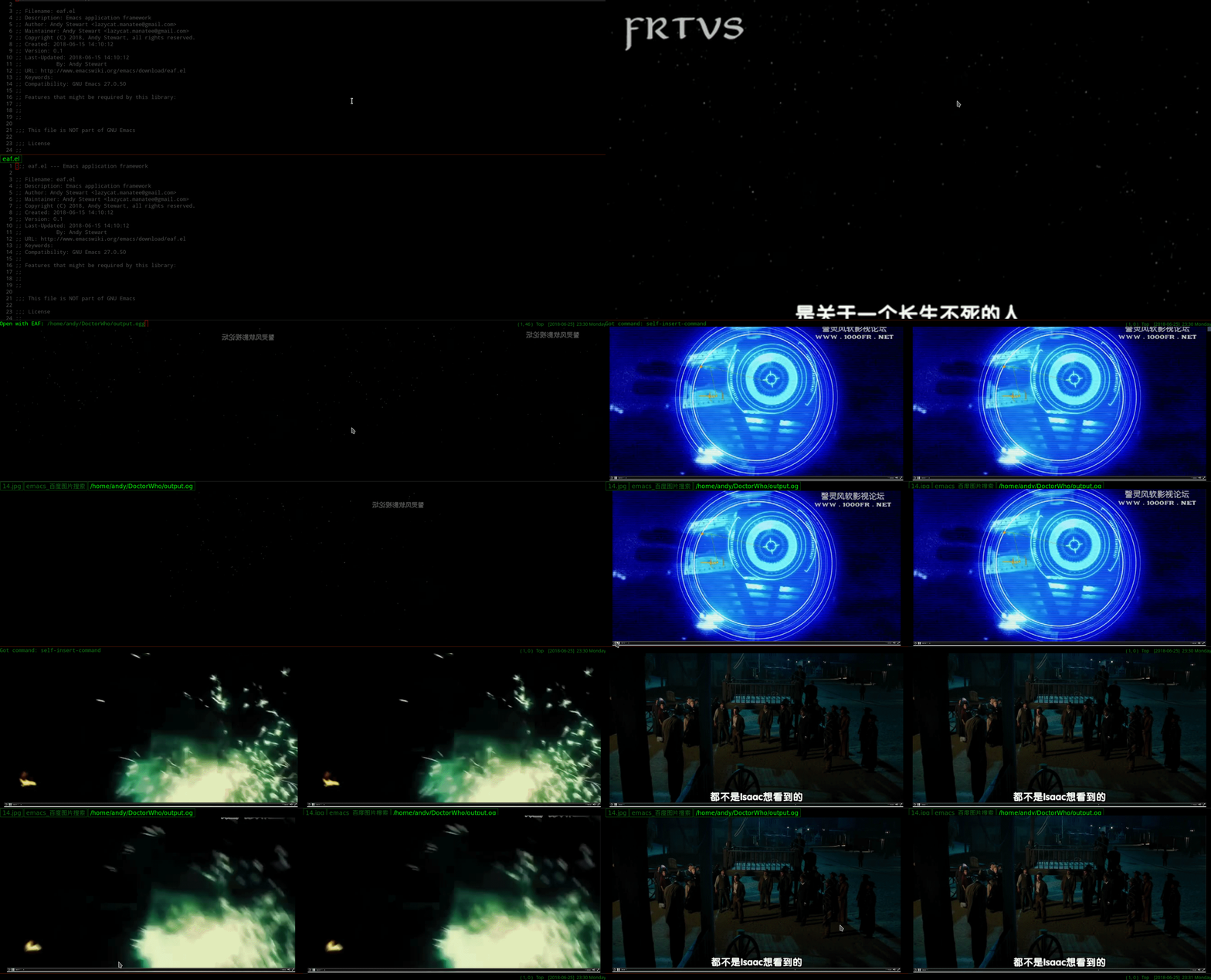
PDF Player

Camera

File Transfer

Air Share

Installation
- Install python libraries:
sudo pacman -S python-xlib python-pyqt5
sudo pip install PyMuPDF grip qrcode
| Package | Use for |
|---|---|
| python-xlib | Stick app window into emacs frame |
| python-pyqt5 | GUI library required for application development |
| PyMuPDF | Render engine required for PDF Viewer |
| grip | Markdown render server for Markdown Previewer |
| qrcode | Render local file QR code |
- Clone this repository and add below code in your ~/.emacs
(require 'eaf)
Usage
M-x eaf-open
| App | Way to open | Key | Event |
|---|---|---|---|
| Browser | URL | Left Button | Open link current tab |
| Ctrl + Left Button | Open link in new tab | ||
| Markdown previewer | Markdown file path | ||
| Image Viewer | Image file path | j | Load next image in current directory |
| k | Load previous image in current directory | ||
| Video Player | Video file path | Space | Play or Pause |
| h | Seek backward | ||
| l | Seek forward | ||
| Pdf Viewer | Pdf file path | j | Scroll up |
| k | Scroll down | ||
| Space | Scroll up page | ||
| b | Scroll down page | ||
| , | Scroll to end | ||
| . | Scroll to home | ||
| t | Switch scale mode | ||
| - | Zoom out | ||
| = | Zoom in | ||
| 0 | Zoomn reset | ||
| g | Goto page | ||
| Camera | Type 'eaf-camera' | ||
| Demo | Type 'eaf-demo' | ||
| File Transfer | Type 'eaf-show-file-qrcode' | ||
| Or use `dired-show-file-qrcode' in dired mode | |||
| Air Share | Type 'eaf-air-share' |
Report bug
If you have any problem with eaf, please use command "emacs -Q" start Emacs first.
Then test again, if "emacs -Q" works fine, it's must be something wrong with your emacs config file.
If "emacs -Q" still have problem, please report bug
Why this awesome framework can't works with MacOS?
There are mainly three obstacles:
- I can't make dbus/python-dbus works on MacOS High Sierra
- This framework need use X11 reparent to stick Qt5 window to emacs frame, but i don't know how to make X11 works on MacOS.
- Qt5 QGraphicsView/QGraphicsScene can't work MacOS, specify QGraphicsVideoItem can't work.
How to develop new plugins?
Join Us
Do you want to make Emacs a real operating system?
Do you want to live in emacs more comfortably?
Want to create unparalleled plugins to extend emacs?
Join us, happy hacking!
打赏
如果我的作品让你的生活充满快乐, 欢迎请我喝瓶啤酒, 哈哈哈哈