
You can not select more than 25 topics
Topics must start with a letter or number, can include dashes ('-') and can be up to 35 characters long.
 Andy Stewart
505ae617f0
Andy Stewart
505ae617f0
|
8 years ago | |
|---|---|---|
| app | 8 years ago | |
| core | 8 years ago | |
| screenshot | 8 years ago | |
| .gitignore | 8 years ago | |
| LICENSE | 8 years ago | |
| README.md | 8 years ago | |
| eaf.el | 8 years ago | |
README.md
What is Emacs Application Framework?
Emacs Application Framework is a development framework that developers can develop any PyQt program and integrate into Emacs.
This framework mainly implements three functions:
- Integrate PyQt program window into Emacs Frame using Xlib Reparent technology
- Listening to EAF buffer's keyboard event flow and controlling the keyboard input of PyQt program via DBus IPC
- Created a window compositer to make the PyQt program window adapt Emacs's Window/Buffer design
Using this framework, you can use PyQt develop powerful graphics programs to extend Emacs

Some screenshots
Browser
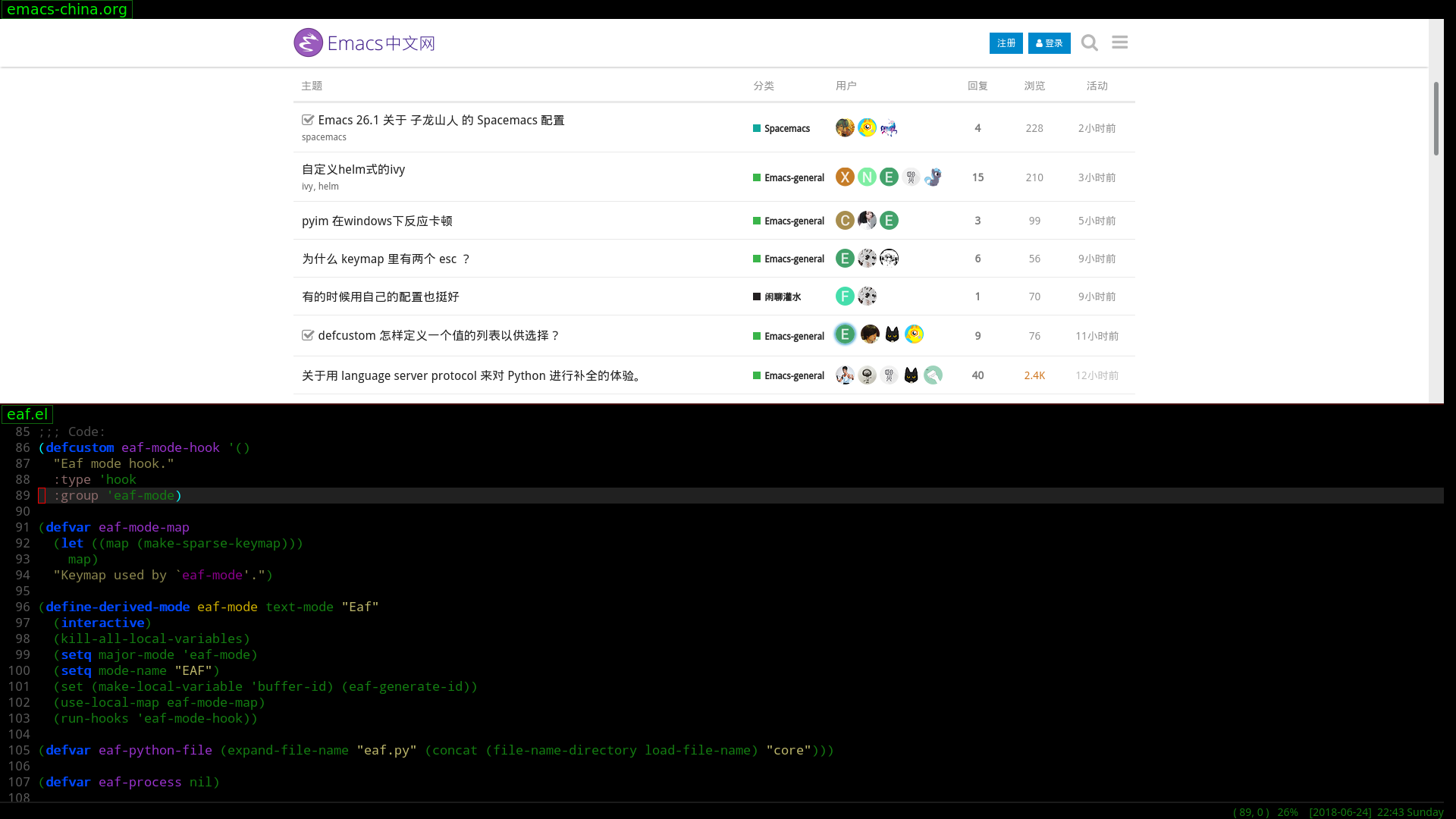
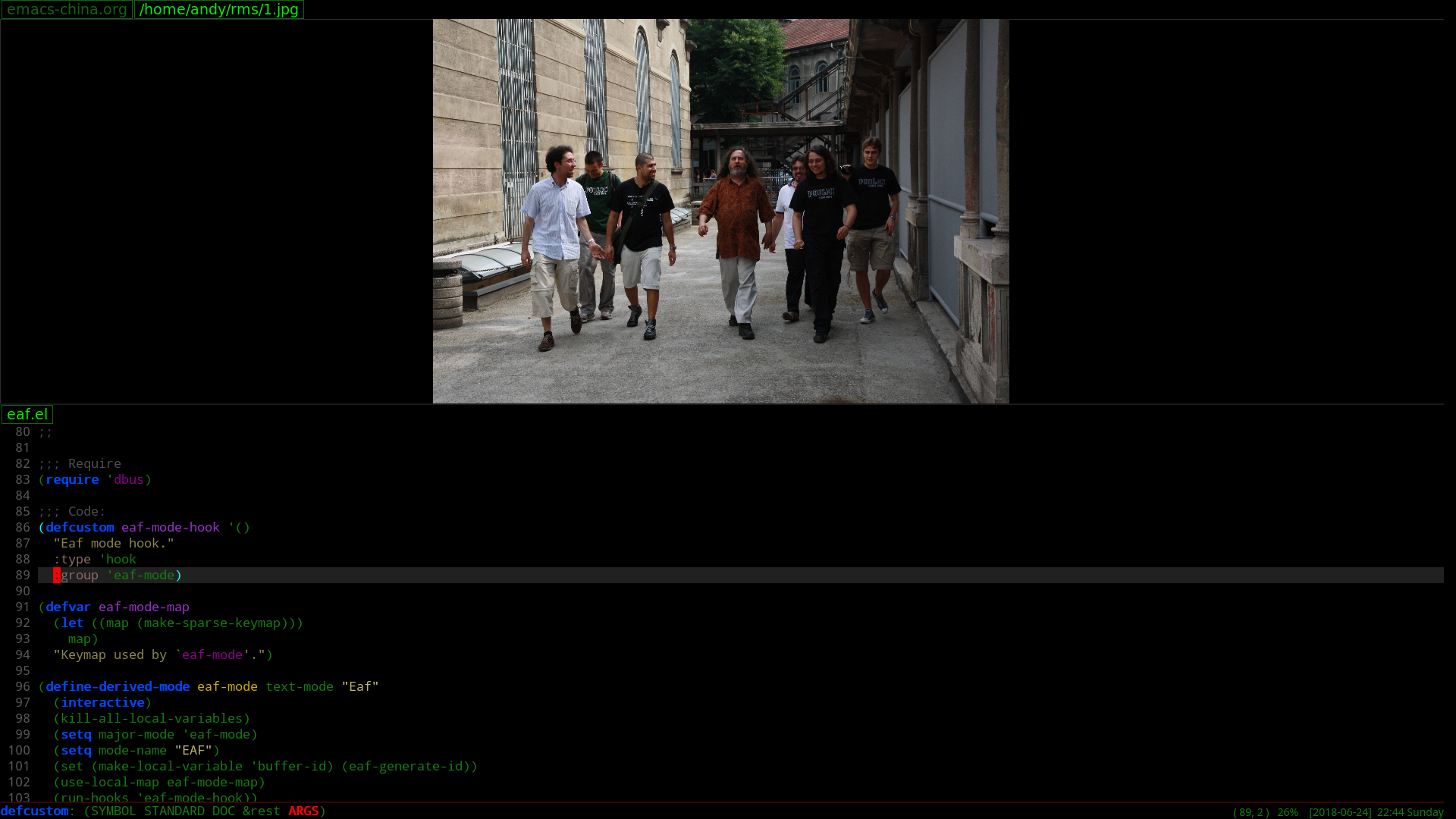
Image Viewer
Video Player

Installation
- Install PyQt5 and Python-Xlib (below commands use for archlinux)
sudo pacman -S python-xlib python-pyqt5
- Clone this repository and add below code in your ~/.emacs
(require 'eaf)
Usage
M-x eaf-open
Such as,
- type www.google.com to open browser
- type /path/image.jpg to open image viewer, and press key j or k to select other image in same directory
- type /path/video.ogg to open video player, video player only support ogg file because it implement by HTML5 video tag
Report bug
If you found eaf message "eaf exited abnormally with ...", it mean something wrong in python.
Please switch buffer eaf and paste content of eaf to me.
Thanks!
Join Us
Do you want to make Emacs a real operating system?
Do you want to live in emacs more comfortably?
Want to create unparalleled plugins to extend emacs?
Join us!
How to develop new plugins?
- Create new python plugin file:
mkdir -p emacs-application-framework/app/foo/buffer.py
- Fill python file with below template:
from PyQt5.QtGui import QColor
from PyQt5.QtWidgets import QLabel
from buffer import Buffer

class FooBuffer(Buffer):
    def __init__(self, buffer_id, url, width, height):
        Buffer.__init__(self, buffer_id, url, width, height, QColor(255, 255, 255, 255))

        self.buffer_widget = QLabel("foo")
        self.buffer_widget.resize(self.width, self.height)

    def resize_buffer(self, width, height):
        self.width = width
        self.height = height
        self.buffer_widget.resize(self.width, self.height)
- Open emacs-application-framework/core/eaf.py, import plugins buffer module and change
new_bufferfunction to launch plugin buffer
from app.foo.buffer import FooBuffer

...

    @dbus.service.method(EAF_DBUS_NAME, in_signature="ss", out_signature="s")
    def new_buffer(self, buffer_id, url):
        ...

        if url.endswith(".foo"):
            self.buffer_dict[buffer_id] = FooBuffer(buffer_id, url, emacs_width, emacs_height)

...
- Try new plugin:
- Call command
eaf-stop-processto kill old python process first. - Then call command `eaf-open' to test new plugin
Todo list
- Browser: click to open link in new tab
- Browser: update title after load finish
- Browser: add progressbar
- Browser: add cookie support
- ImageViewer: add zoom support
- VideoPlayer: use ffmpeg implement video player, mpv/vlc can't work with QWidget.render and slow, XComposite must need main window is show before composite to other window.
Contact me
lazycat dot manatee at gmail dot com
Any suggestions and patches are welcome, happy hacking!