
 Oleh Krehel
487d5ea201
Oleh Krehel
487d5ea201
|
11 years ago | |
|---|---|---|
| Makefile | 11 years ago | |
| README.md | 11 years ago | |
| avy-init.el | 11 years ago | |
| avy-jump.el | 11 years ago | |
| avy-test.el | 11 years ago | |
| avy.el | 11 years ago | |
README.md
Introduction
avy-jump is a GNU Emacs package for jumping to visible text using a char-based decision tree. See also ace-jump-mode and vim-easymotion - avy-jump uses the same idea.

Command overview
You can bind some of these useful commands in your config.
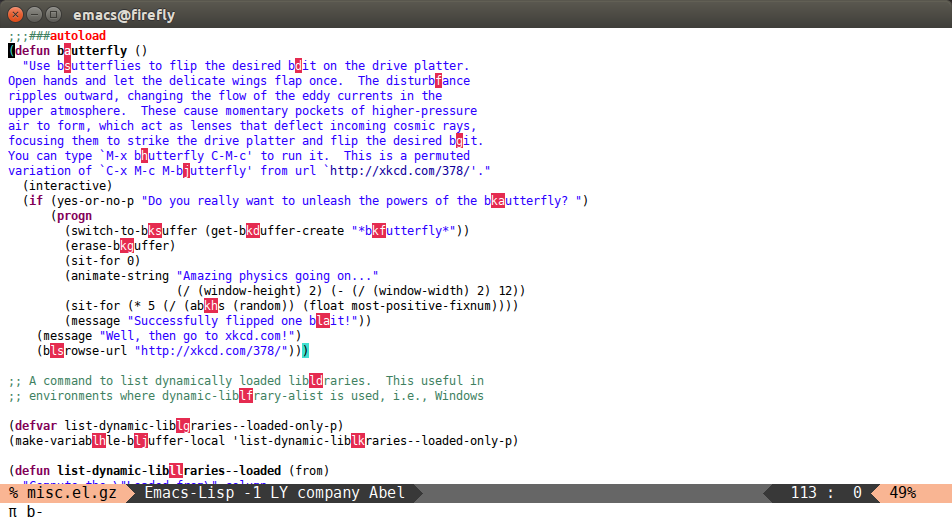
avy-goto-char
Input one char, jump to it with a tree.
(global-set-key (kbd "π") 'avy-goto-char)
After πb:
avy-goto-char-2
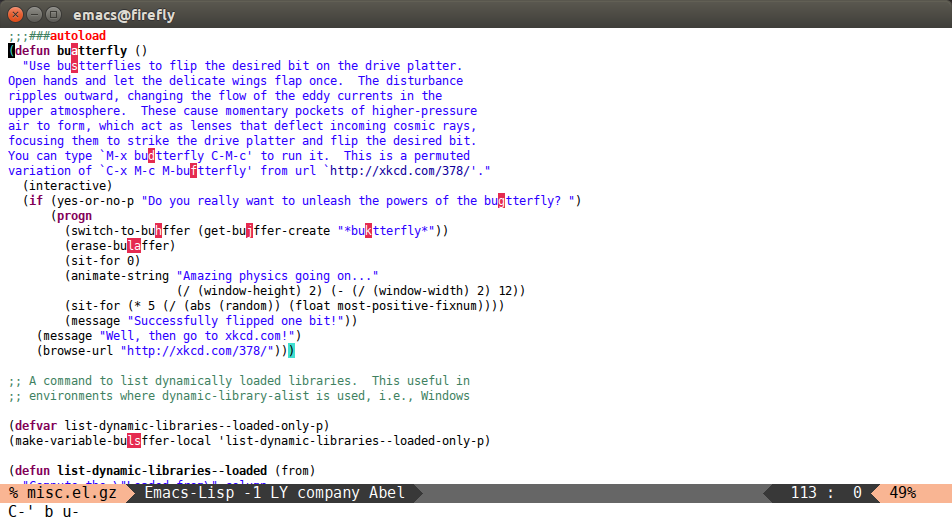
Input two consecutive chars, jump to the first one with a tree.
The advantage over the previous one is less candidates for the tree search. And it's not too inconvenient to enter two consecutive chars instead of one.
(global-set-key (kbd "C-'") 'avy-goto-char-2)
After C-' bu:
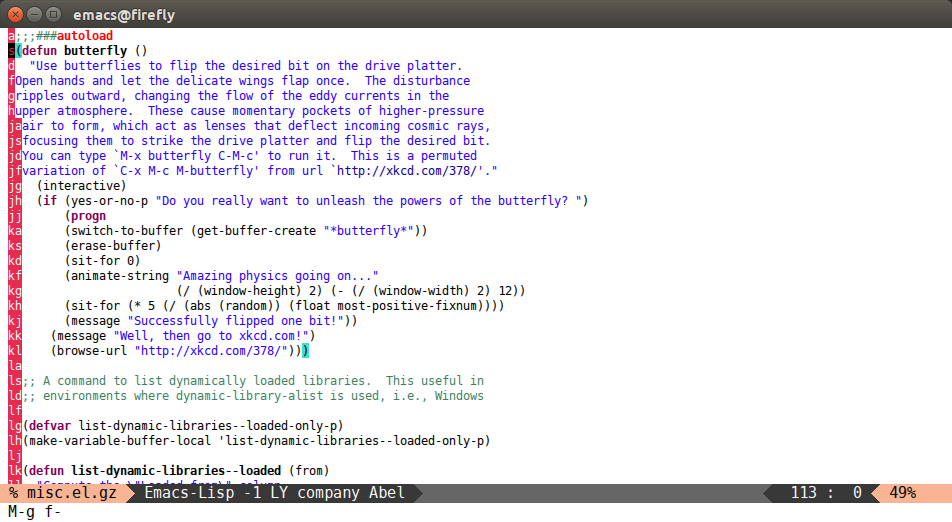
avy-goto-line
Input zero chars, jump to a line start with a tree.
(global-set-key (kbd "M-g f") 'avy-goto-line)
After M-g f:
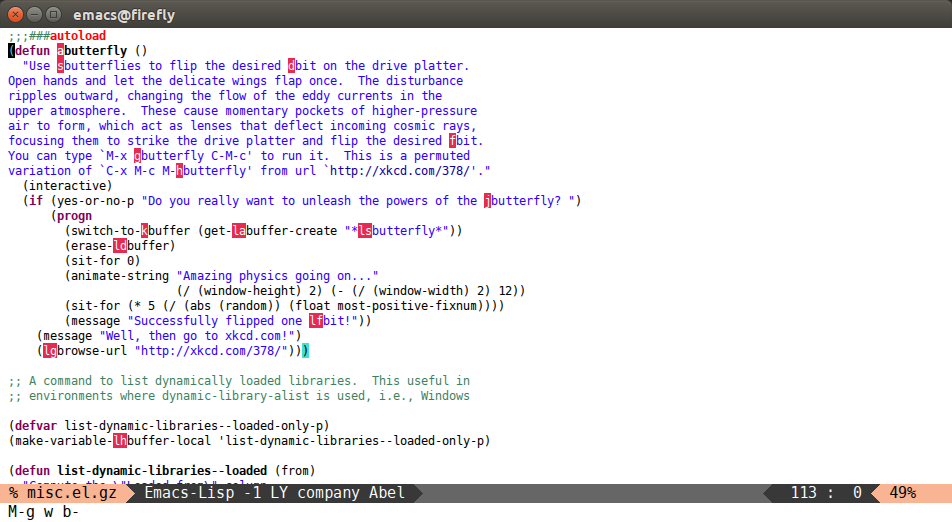
avy-goto-word-1
Input one char at word start, jump to a word start with a tree.
(global-set-key (kbd "M-g w") 'avy-goto-word-1)
After M-g wb:
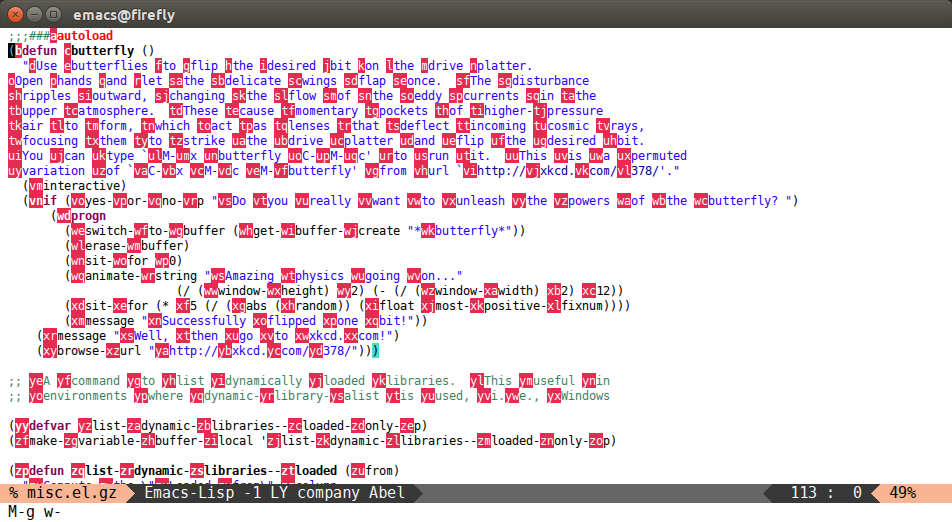
avy-goto-word-0
Input zero chars, jump to a word start with a tree.
Compared to avy-goto-word-1, there are a lot more candidates. But at a least there's not need to input the initial char.
(global-set-key (kbd "M-g e") 'avy-goto-word-0)
After M-g e:
Other commands
There are some more commands which you can explore yourself by looking at the code.